


GPS Maps Navigation Directions
4.3105.00 Reviews
App Specs
- Version
- 1.69
- Updated On
- License
- Free
- Downloads
- 500,000+
- Developer
- Quix Technologies LLC
- Categories
- Maps & Navigation
- Platform
- Android
Screenshots
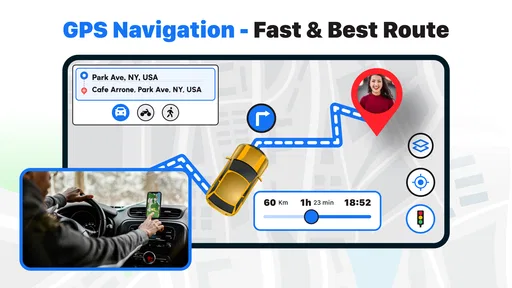
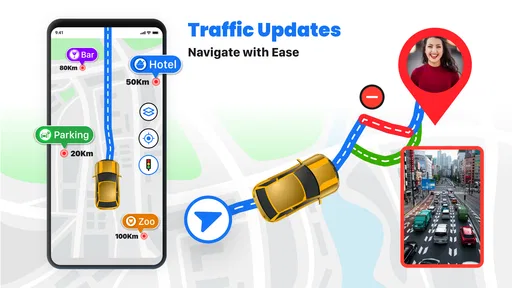
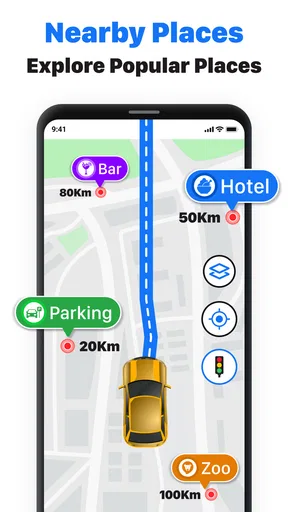
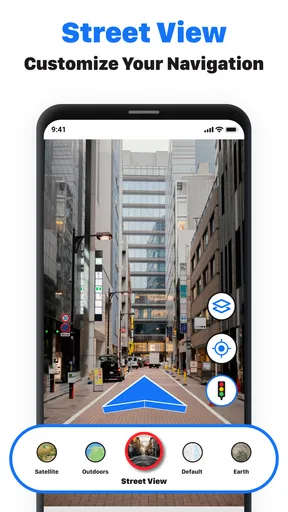
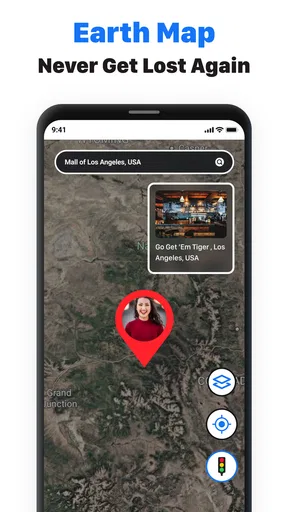
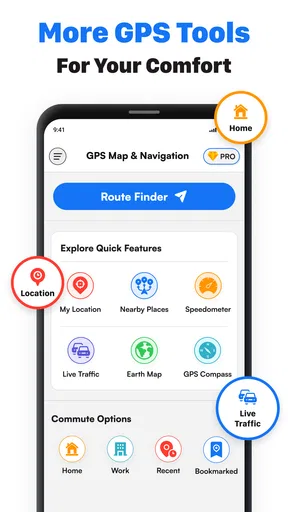
 Analysis by AppCompare
For a quick trip across town, I want navigation that gets me moving without turning route planning into a project. GPS Maps Navigation Directions is a free Maps & Navigation app from Quix Technologies LLC, and its focus is clear: GPS guidance, spoken directions, and driving routes. I see it as a practical option for everyday journeys, especially when I want an alternative to the familiar map apps already on my phone.
Where the app stands today
The app is rated Everyone, has an average rating of 4.3 from around 3.8 thousand ratings, and has passed over 500 thousand installs. Those numbers suggest that it has found an audience, though they cannot tell me whether its route suggestions will suit a particular commute or region. I would treat it as a candidate to try on familiar roads first, rather than relying on a new navigator for an important, unfamiliar trip straight away.
The current version is 1.48, and the app was released on September 5, 2025. That gives a useful snapshot of its development, but a version number alone does not show which features changed or how navigation performs in every location. For existing users, the sensible question is whether the current build works well for their regular routes and device, not whether a higher version number automatically means a better journey.
What its navigation approach means in practice
Voice guidance matters most when I’m driving somewhere that needs my attention: a complicated junction, a lane change, or a turn that comes up sooner than expected. Spoken prompts can reduce the need to look back and forth between the road and a screen. I would still check the route before setting off, keep the phone securely mounted, and follow road signs and local rules rather than treating any navigation app as infallible.
For a familiar daily drive, I’d use the map to get a quick sense of the route and then let voice directions handle the routine reminders. For a less familiar destination, I’d review the route while parked and make sure the destination pin is correct. That small check can prevent a frustrating detour if a search result points to the wrong entrance or a nearby address.
Choosing it alongside other map apps
Compared with the usual general-purpose navigation apps, this one is worth considering if you want a straightforward GPS-focused tool and are open to trying another interface. The best choice depends on the roads you use and what you need beyond driving directions. If your routine depends on a particular app’s saved places, transit planning, detailed local information, or a familiar ecosystem, switching may add more friction than value.
I wouldn’t replace a trusted navigator right before a long drive. Instead, I’d test this app on a route I already know, compare the suggested roads with my usual option, and see whether its voice prompts are clear at the right moments. If it handles that familiar trip comfortably, I’d then try it for a short outing to a new place. This gradual test tells me more than a quick glance at a feature list.
Worth Reading Before You Choose

Flipboard Shows What News Apps Must Do Beyond the Feed

Switching to Android Auto Means Rethinking Your Driving Routine

Google Calendar Makes a Crowded Week Easier to Manage

Ludo King Makes the Most of the Minutes Between Plans

Baby Panda World Brings Quick Play to Modern Phones, but Its Game Library Feels Busy

ESPN’s Live Game View Makes Following Close Games Easier
Costs, installation, and expectations
The app is free to download, with in-app purchases ranging from $1.99 to $19.99 per item. I’d check the purchase details in the app before buying anything and decide whether the free experience already covers my needs. A paid option only makes sense if it adds something I will actually use; for occasional navigation, I would avoid paying simply because an upgrade is available.
It currently requires Android 7.0 or later. That makes compatibility worth checking before installation, particularly if you keep an older phone as a backup navigator. I’d also make sure the device has enough battery for a drive and that the screen can remain visible without distracting me. The app can guide a route, but it cannot solve practical issues such as a phone overheating in direct sun or losing power during a long journey.
A sensible test before depending on it
My first run would be a short, familiar drive at a time when I’m not under pressure to arrive. I’d enter the destination before moving, listen for how early the spoken instructions arrive, and note whether the route makes sense at turns I recognize. If I’m unsure about a suggested road, I’d stop somewhere safe before checking the map rather than trying to investigate while driving.
For a realistic weekday example, imagine leaving work for an unfamiliar appointment across town. I’d enter the destination while parked, check that the result matches the building I intend to visit, and start guidance before pulling out. At a busy junction, I’d rely on the voice prompt for the reminder but still use road signs and lane markings to make the final decision. After arriving, I’d consider whether the directions were clear enough to use again on a more demanding trip.
Who is likely to get the most from it
I can see this being a reasonable fit for drivers who want a dedicated navigation app for errands, routine commutes, and occasional trips to places they don’t know. It may also appeal to someone who wants to compare a second route planner against the app they usually use. The key is to judge it on the routes that matter personally; navigation quality is most useful when it works well where you actually drive.
On the other hand, I’d skip it as a primary choice if I rely heavily on a particular mapping service’s established saved locations or need a specialist planning tool. I’d also avoid making it my sole guide in a remote area until I had tested how it behaves there. A phone-based navigator depends on the device and its connection, so I’d keep a backup plan for trips where a missed turn or a dead battery would cause a serious problem.
What I would keep an eye on
Because the app has a current version of 1.48, I’d watch for future changes that affect the practical parts of a drive: route clarity, how promptly directions adapt, and whether the interface stays easy to use. Those are expectations to check over time, not promises I can infer from a version number. I’d also revisit my privacy and purchase choices if the app’s settings or options change, rather than assuming my initial setup remains ideal forever.
Ultimately, my recommendation is cautious but positive: try it on ordinary journeys, compare it with your usual map app, and keep the one that gives you the clearest, least distracting guidance. The download costs nothing, but your attention on the road is valuable. Set the route before driving, use voice prompts as assistance rather than authority, and don’t hesitate to return to a more familiar option when a trip calls for features or dependability you already know well.
Getting Started with GPS Maps Navigation Directions
The first thing I noticed when I downloaded GPS Maps Navigation Directions was how straightforward the setup process was. No complicated steps, just a simple installation and a quick run-through of permissions. The app does require access to your location (obviously), but it also asks for access to your contacts and media, which might raise an eyebrow or two. Thankfully, it explains why it needs each permission, which is reassuring.
Interface and Usability
Once you’re in, the interface is pretty slick. Everything is where you’d expect it to be, and the menu is intuitive with easy-to-read icons. The app offers both a light and dark theme, so you can choose whatever suits your vibe. It’s like having a little mini control center right in your pocket.
One of the features I really appreciated is the voice-guided navigation. It’s clear and concise, and you can customize the voice to suit your preferences. There’s also an option to adjust the language, which is a nice touch if you’re traveling in a non-English speaking country.
Features that Stand Out
This app isn’t just about getting you from point A to B. It packs a bunch of features that add value to your journeys. Real-time traffic updates are a lifesaver, helping you avoid bottlenecks and road closures. It’s like having a personal traffic cop in your phone!
The app also provides alternate routes, which come in handy if you’re trying to save time or avoid toll roads. And if you’re an explorer at heart, the point-of-interest feature is a winner. It highlights nearby attractions, restaurants, and gas stations, which is super helpful when you’re in unfamiliar territory.
Performance and Reliability
During my test drives, the app performed reliably without any crashes or unexpected hiccups. It updates pretty quickly with traffic changes, and rerouting is smooth. However, like any GPS-based app, it can occasionally lag in areas with poor reception. This isn’t a deal-breaker, but something to keep in mind if you’re heading into more remote areas.
Compatibility and Integration
One of the strong points of GPS Maps Navigation Directions is its compatibility with other services. It syncs well with your calendar and contacts, allowing you to pull up addresses directly without having to manually enter them. It also integrates with popular music streaming services, so you can jam to your favorite tunes while navigating.
Moreover, if you’re using a smartwatch, the app can send notifications directly to your wrist, which is pretty handy when you’re on the move.
Wrap-Up: Is It Worth Downloading?
So, should you download GPS Maps Navigation Directions? If you’re looking for an app that’s user-friendly, packed with useful features, and performs reliably, then absolutely. It’s an all-in-one navigation tool that makes life on the road a little less stressful and a lot more enjoyable.
While it’s not perfect—no app is—it does a commendable job of ticking most of the boxes that matter. So, go ahead and give it a whirl on your next trip. You might just find it becomes an essential part of your travel toolkit. Safe travels!
Pros
- User-friendly interface enhances accessibility.
- Offers offline maps for areas with poor signal.
- Real-time traffic updates improve route planning.
- Voice-guided navigation keeps hands free.
- Regular updates ensure data accuracy.
Cons
- Heavy battery consumption on long trips.
- Ads can be intrusive during use.
- Requires significant storage space.
- Some features locked behind paywall.
- Occasional lag on older devices.
FAQs for GPS Maps Navigation Directions
What features does GPS Maps Navigation Directions offer?
GPS Maps Navigation Directions provides real-time traffic updates, voice-guided navigation, and detailed maps with street names. It also includes offline maps for areas where internet access is limited, points of interest, and route planning for walking, driving, and public transportation. Users can customize routes based on their preferences.
Does GPS Maps Navigation Directions require an internet connection?
While GPS Maps Navigation Directions works best with an internet connection to provide live updates and traffic information, it also offers offline map downloads. This means you can download maps of specific areas in advance and use them without needing a data connection, which is handy for traveling in remote locations.
Is GPS Maps Navigation Directions compatible with both Android and iOS devices?
Yes, GPS Maps Navigation Directions is available for both Android and iOS platforms. It can be downloaded from the Google Play Store for Android users and the Apple App Store for iOS users. Ensure your device meets the app’s system requirements for optimal performance.
How accurate is the navigation provided by GPS Maps Navigation Directions?
The app uses advanced GPS technology to provide accurate navigation and real-time traffic updates. However, accuracy can be affected by environmental factors such as tall buildings, tunnels, or poor weather conditions. Regular updates help improve accuracy by refining map data and enhancing user experience.
Are there any costs associated with using GPS Maps Navigation Directions?
The app offers a free version with basic features, while additional premium features, such as ad-free usage or advanced navigation tools, may require a subscription or one-time purchase. Check the app store for specific pricing details and to determine which version best suits your needs.


